How Notice Cure works
Five screens cover almost everything a board does day to day: see what needs attention, log a violation, track it through the statutory path AB 130 requires, and generate the letter. Here's the basic flow, using the live demo.
Five screens cover almost everything a board does day to day: see what needs attention, log a violation, track it through the statutory path AB 130 requires, and generate the letter. Here's the basic flow, using the live demo.
When a board member signs in, they land on Today — every open case, sorted by what's actually due next. At a glance: how many cases are open, how many deadlines are already missed, and what's coming due in the next 7 days. This is the screen a board checks weekly; it's built so there's nothing to dig for.
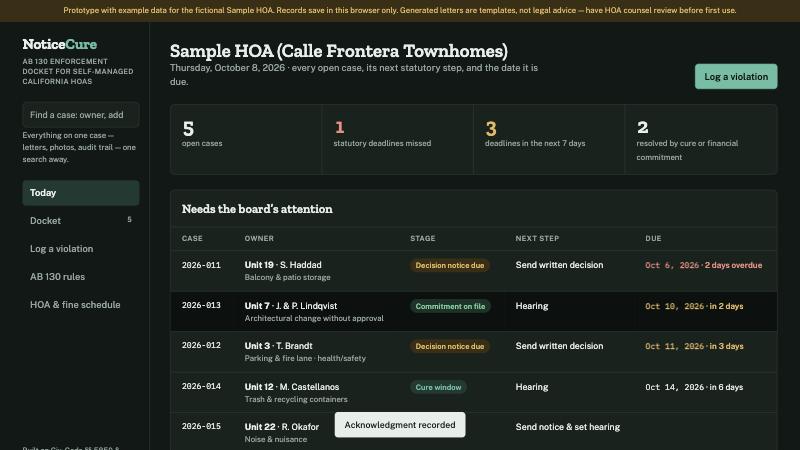
The Today view for a sample HOA — five open cases, one deadline already missed, three due in the next week.
When a board member or manager spots a violation, they log it here — unit, owner, rule category, and a plain description of what was observed, with photos if they have them. Nothing is sent to the owner yet; this step only records the facts. Pick the rule category and Notice Cure pulls the fine amount from your published schedule automatically.
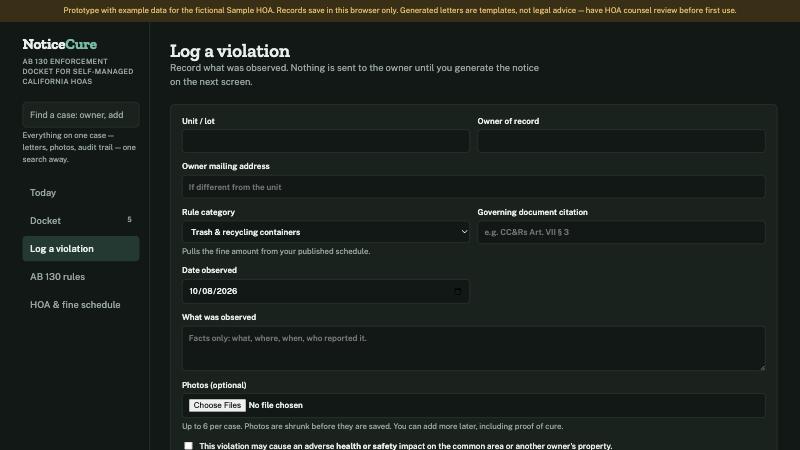
Logging a violation — facts only. The notice and hearing date come next.
The Docket lists every open and closed case with its current stage and next step — draft, cure window, hearing scheduled, decision due. This is the view to use when the board meets: it's the whole association's compliance status on one page, not scattered across emails and a spreadsheet.
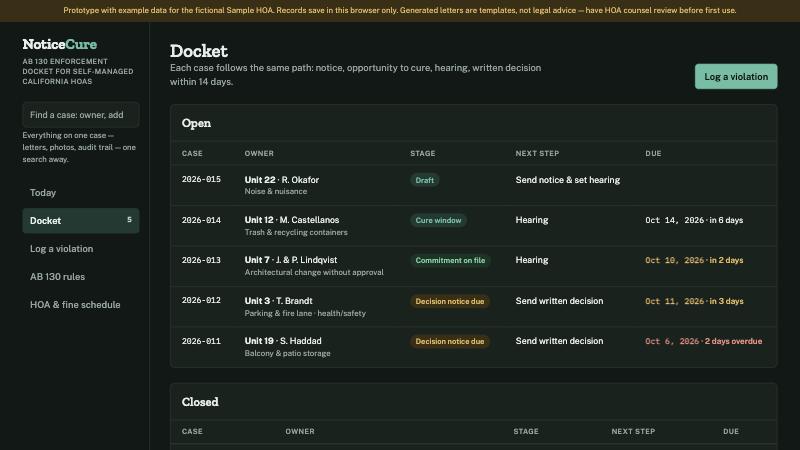
The docket — every case, its stage, and when the next deadline hits.
Open any case and Notice Cure walks it through the same four steps AB 130 requires: notice and hearing date, opportunity to cure, the hearing and fine check, and the 14-day written decision. Enter the date the notice actually goes out, and the earliest lawful hearing date is calculated for you — along with the fine check against both your own schedule and the $100 statutory cap.
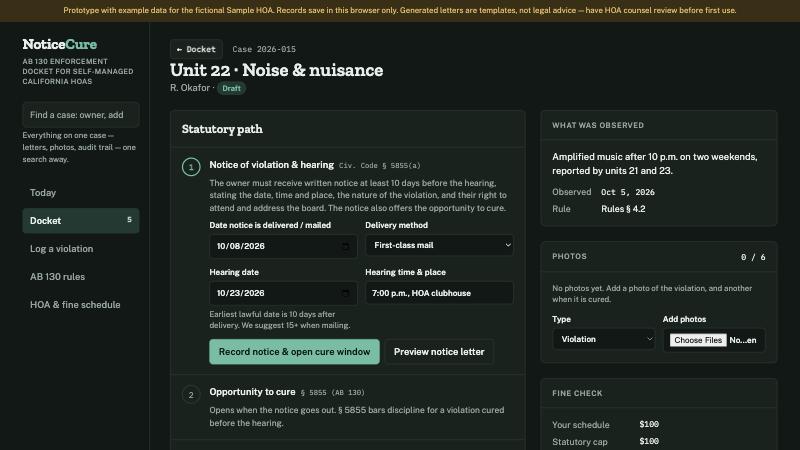
One case, walked through notice, hearing date, cure window, and the fine check — with the governing Civil Code sections cited at each step.
Once the case details are filled in, the notice letter writes itself — owner name, unit, violation, the cure right, and the hearing date and location, all pulled from the case. Preview it, copy the text, and send it however your association normally delivers notices. The same pattern applies to the cure confirmation, decision, and resolution letters later in the case.
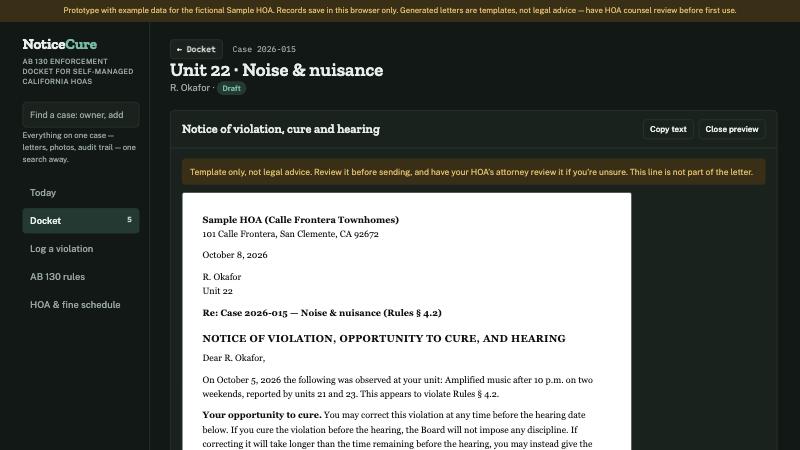
The generated notice — ready to review, copy, and send. Always worth a read before it goes out.
Log it, let the statutory path set the dates, generate the letter, repeat through cure, hearing and decision. No separate spreadsheet for deadlines, no reconstructing what happened six months later when someone asks.